Google Search Console’s “Insights” section no longer shows click trends for individual keywords. It now displays trends for keyword groups, once available only to high-traffic sites.
Selecting any group of keywords takes you to the Performance section with the regex filter activated to show details.
Many marketers believe the future of organic search monitoring is keyword groups. Consumers’ queries are becoming longer and more diverse as they interact with genAI platforms such as ChatGPT and Google AI Mode. Hence tracking individual words is becoming ineffective.
Here’s how to benefit from Search Console’s query grouping feature.
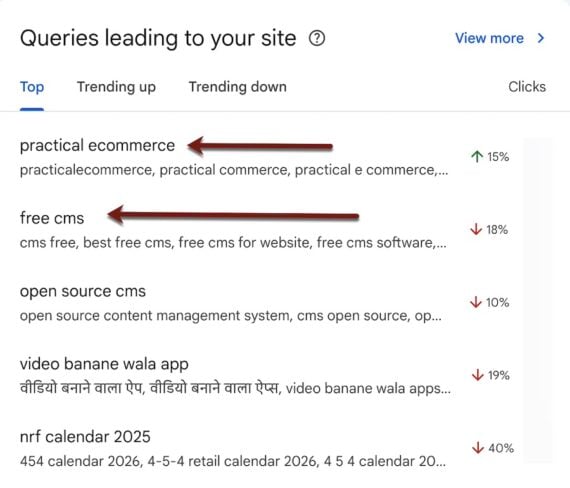
Search Console’s “Insights” section now displays click trends only by keyword group.
Analyze SERPs
Identify new sections or features on search engine result pages impacting your site’s performance.
If an important keyword group (such as brand-name queries) is trending down, run a live search and analyze the results (on desktop and mobile). A loss of brand visibility often results from advertising: a competitor bidding on the terms. To combat, adjust your paid search strategy (or report policy-breaking ads).
A new AI Overview for a vital keyword could also reduce visibility and clicks. The loss is not reversible unless Google changes the SERP.
For branded searches, at least ensure the AI Overview does not misrepresent your business. If it does, check all URLs it cites, identify the one with incorrect info, and try to correct it. Also, clarify that point on your own pages, especially if those rank for that brand term.
Fix Lagging Groups
Trending-down keyword groups may need work. Select the keyword group in Search Console to load it in the Performance section. Then click the “Pages” tab. Here you can see the URLs that rank for this cluster.
Tactics that could elevate SERP visibility for the entire cluster include:
Search Console may display ecommerce content and product pages in the same cluster. This is a great opportunity:
- Link related product and content pages.
- Identify product opportunities, those not included in related ranking content.
- Create product categories to match the cluster.
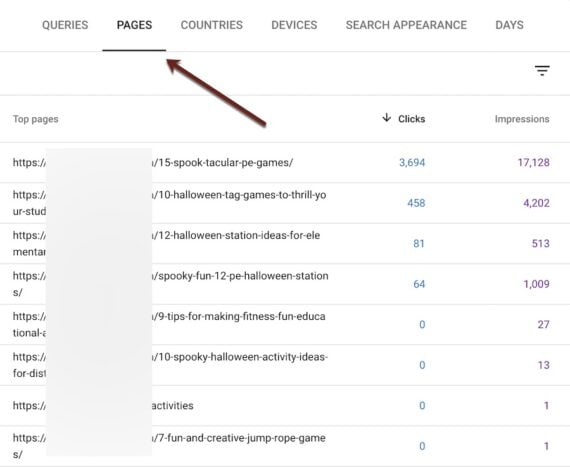
Click the “Pages” tab in the Performance section to see the URLs that rank for a cluster.
Content Opportunities
Upward-trending keyword groups usually signal content opportunities.
Use keyword research tools to uncover related topics, such as a new demographic. Or update older relevant content and link it to a popular, related version.
Rising clusters validate a broader content strategy. Optimize further with supporting FAQs, comparison guides, or video tutorials.